How to update ip-filter?
To update IP-filter go to eMule settings -> Security. Copy and paste this link (http://upd.emule-security.org/ipfilter.zip) to "Update from URL:" window.
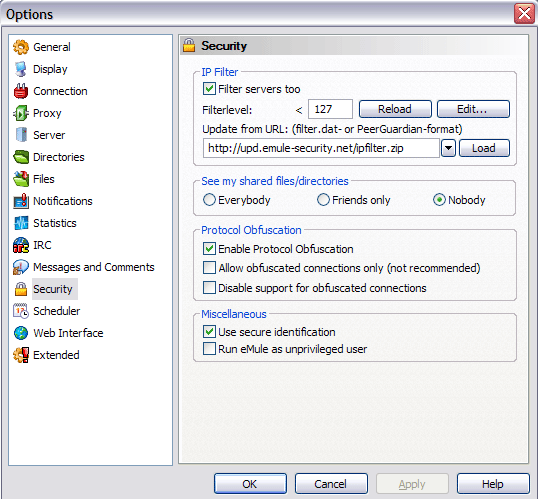
And click to Load button.
Also turn on the option "Filter servers too".
Notes: If you use eMule 0.42 or older version or eMulePlus MOD, you can download Ip-filter manually from it link.
After downloading, unzip file guarding.p2p to you eMule /config directory. And rename it to ipfilter.dat
Go to eMule settings -> Security and click Reload button (For eMulePlus MOD, reload the eMule).